This issue, Walt Stearns turns his attention to that bane of underwater photographer’s – backscatter – and details the best ways to tackle it.
As underwater photographers, we constantly battle backscatter – that frustrating phenomenon where light from our strobes or flash reflects off tiny particles (silt, plankton, organic matter) suspended in the water.
On the low end, a small amount of backscatter can sometimes be acceptable, subtly conveying the natural environment and atmosphere the subject resides in.
However, when backscatter appears as a distracting pattern of bright specks and hazy blobs, the image takes on the frustrating persona of a blizzard. An image besieged by white dots and hazy spots is a scourge we must learn to mitigate. If you are looking to build a foundation before tackling lighting adjustments, check out these essential underwater photography tips to refine your skills.
In-water solutions: Backscatter prevention 101
Even in locations with exceptional visibility (100 feet or more), particles are present and will be illuminated by your light source. Preventing backscatter begins with solid technique. Getting close to your subject is the most-fundamental principle. Get physically closer to your subject to minimize the amount of water column between the lens and your subject. This principle works exceptionally well with super wide-angle lenses (particularly fisheyes), which create the illusion that fewer particles are present for your strobes to illuminate. Angling your strobes out and back is also key to keeping backscatter at bay is ensuring the light source’s cone is outside the camera’s field of view. This technique is often called ‘lighting from the sides’ or ‘remote lighting’.
Pull both strobes back and away from the front of the camera housing (where the dome port begins). Angle them outward so the inner edge of their light cone illuminates the subject, while the brightest central part of the cone misses the foreground water column visible to the lens. When using a single strobe, place it up high, typically in the 10 or 2 o’clock position, with a slight downward tilt. This effectively illuminates the most-important, colorful portion of the scene while respecting the natural direction of the overhead light.
Sometimes less is more. Turning your strobe power down just enough to knock out shadows can be highly effective, reducing the amount of reflected light coming back at the lens. Maintaining your buoyancy is also critical. Great buoyancy control prevents you from kicking up silt, sand, or stirred-up organic matter from the bottom, which immediately worsens backscatter.
Case Study: Goliath grouper and baitball
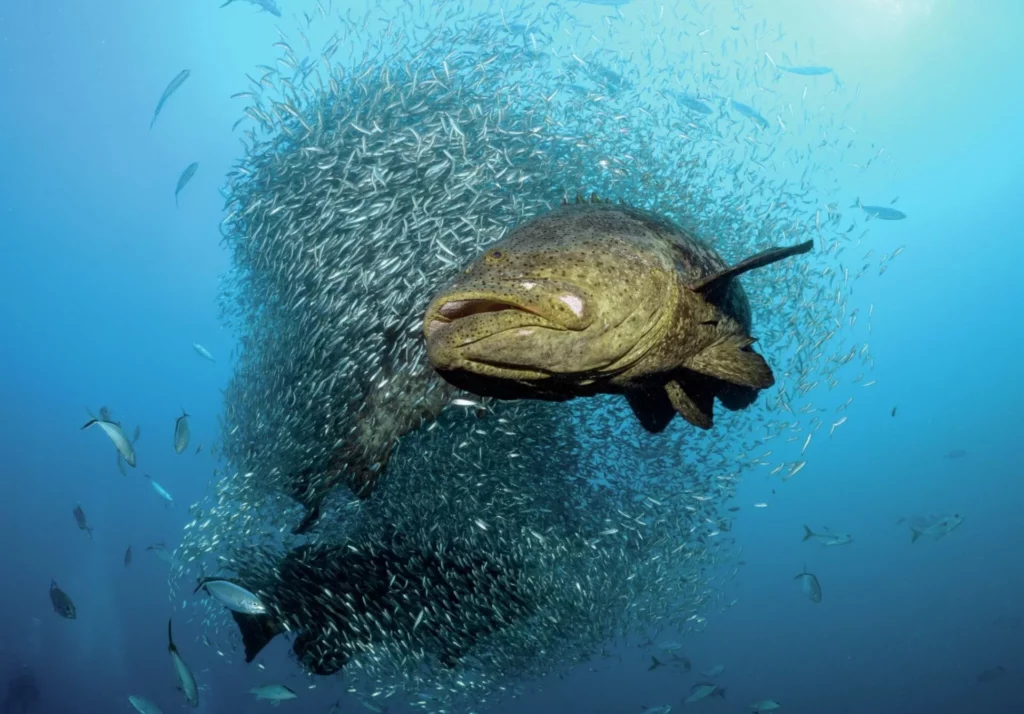
This image of a large Goliath grouper out front of a swirling ball of baitfish was taken with a full-frame fisheye lens at distance less than three feet away. Underwater visibility off Jupiter, Florida, regularly fluctuates between 35 and 65 feet.
Looking at the final image, conditions appear clean, but visibility was less than 40 feet. To light the fish, both strobes were positioned as high as my 20-inch strobe arms allowed, angled outward so that the outer edge of each strobe’s emitted cone of light touched on the fish in the foreground. No cloning or healing tools were used in post-processing. The particulate is still there, it’s just less noticeable because the strobes were positioned correctly.
Photo software tools for our nemesis
Even when you’ve executed every in-water solution perfectly, sometimes backscatter prevails. This is where specialized software can save the day.
For minor backscatter removal, the Clone Stamp and Healing Brush tools in platforms like Adobe Photoshop and Lightroom are effective. However, manually removing hundreds of tiny specks often becomes a time-consuming, tedious process. There is also a single click solution that could be pivotal for you. Last year, a revolutionary tool was released – Backscatter Xterminator (BSXT). Developed by Adobe guru Erin Quigley (goaskerin.com) and Bruce Warner, BSXT, this plug-in was developed for Creative Cloud versions of Adobe Photoshop and/or Lightroom. Under the name RC Astro, BSXT is designed specifically for removing backscatter from digital image files with remarkable accuracy. Priced at $179.95 for one perpetual single user license (allowing installation on two separate Mac or PC computers) is a solution serious underwater photographers should look at.
Before investing in it, you will need see if your operating system and processor meet the requirements for it to function. For example, Mac systems require MacOS 12 (Monterey) or later. Apple Silicon is preferred, but not required. PCs require Windows 10 or later and also must have CPU support for ‘AVX’ instructions, which is what most CPUs have after 2012.
The simplicity of BSXT
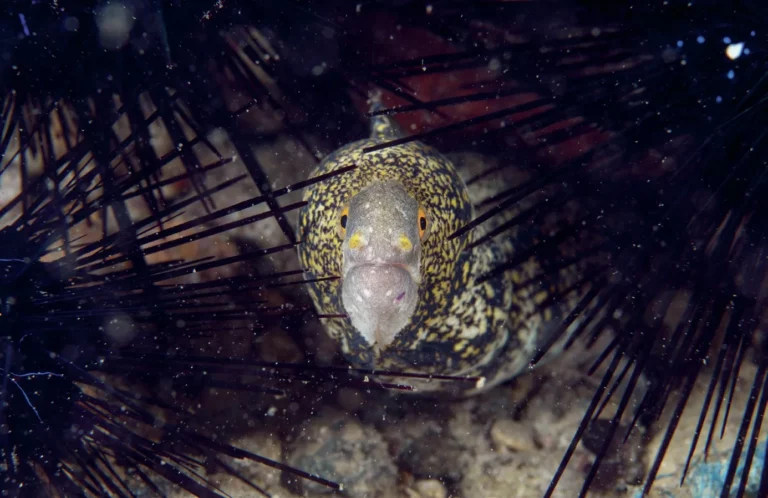
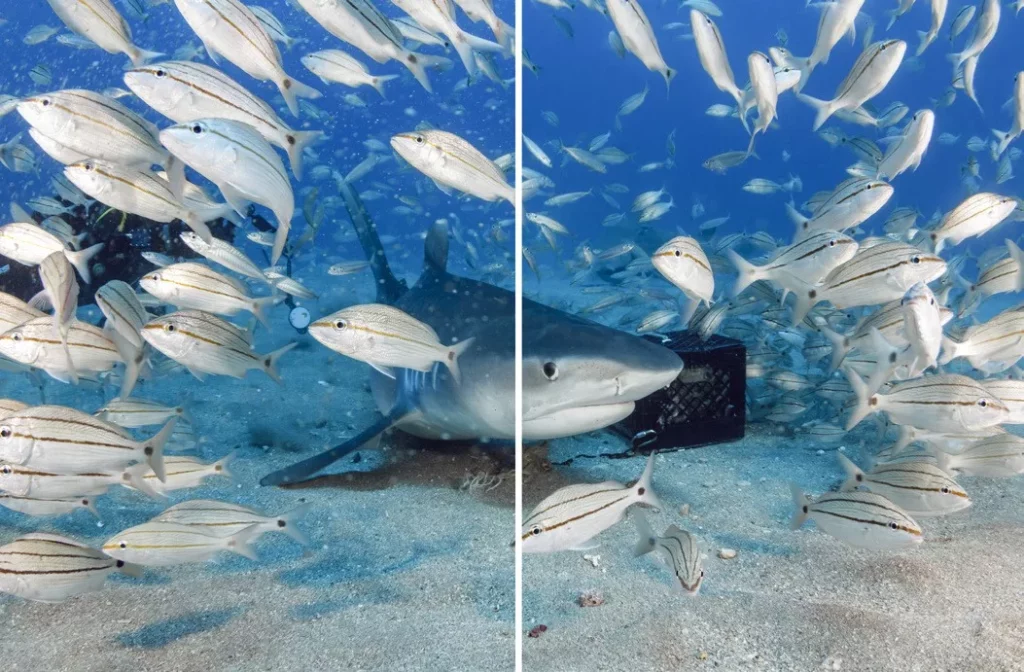
With this image of a small moray peering from between three black sea urchins, it had way too much white particulate in it to almost ruining the shot. Not wanting to waste time in manually removing all these little white specks and what appears to be a ghosted-looking moray, I ran it through BSXT. When activated, BSXT uses AI to differentiate between the subject, the background, and the backscatter. With a single click, 99% of that backscatter is terminated in seconds.
The magic behind the BSXT software lies in its AI component, which automatically differentiates the main subject(s) in the foreground from the background. This process is executed by generating three separate layers within the image file. When viewed in the Layers Panel of Photoshop or Lightroom’s editing software, these layers are stacked from bottom to top – the original image, labeled Background, is at the bottom; above it is the BSXT layer, where the core backscatter extermination (removal) process takes place; and finally, the top layer is the empty Clean-up layer, reserved for final manual adjustments.
The layered structure provides additional flexibility and control to correct errors, such as when the AI component mistakenly removes fine details, like a few fin rays from a fish’s tail or delicate white spots on a subject’s body. In these rare instances, you can use the layer mask attached to the BSXT layer to restore lost detail – simply use a brush tool to reveal portions of the background (original image) beneath the BSXT layer. For more fine-tuning, the empty Clean-up layer is available – here, you can use the Healing Brush tool to eliminate any remaining, stubborn backscatter stragglers. Once you have removed enough backscatter to your liking, flatten the layers and continue with any other post-processing steps warranted in your workflow.
Final thoughts
Mastering underwater photography means mastering light control, and that begins with minimizing backscatter through smart strobe positioning and good buoyancy. But when Mother Nature (or Mr Murphy) interferes, having a powerful, time-saving tool in your digital arsenal is the ultimate advantage. If you despise the tedious, manual process of dot removal, Backscatter Xterminator isn’t just a convenience, it’s a game-changer that gives you back hours of your life to spend planning your next dive.
And when you are on that dive, don’t forget what I discussed early on – use as many techniques as possible to avoid getting backscatter in the image in the first place. Then you will not have to depend on software to fix a good image that may be ruined by stubborn backscatter.
FAQs
What is backscatter in underwater photography?
Backscatter is an optical phenomenon that occurs when light from an underwater camera’s strobes or flashes reflects off tiny particles—such as silt, sand, plankton, or organic matter—suspended in the water column. This light reflection creates distracting white spots, hazy blobs, or a “blizzard” effect in the final image.
How do you prevent backscatter while shooting underwater?
The most effective in-water method to prevent backscatter is through correct strobe positioning. Pull your strobes back behind the camera’s dome port and angle them outward. This technique ensures the inner edge of the light cone illuminates your subject while the brightest, central part avoids lighting up the particles directly in front of your lens.
Why is buoyancy control important for avoiding backscatter?
Excellent buoyancy control keeps you elevated above the seafloor, preventing your fins or body from kicking up sand, silt, or organic matter. Disturbing the substrate immediately floods the surrounding water column with particles, worsening backscatter significantly.
What is Backscatter Xterminator (BSXT)?
Backscatter Xterminator (BSXT) is a specialized AI-powered plug-in designed for Adobe Photoshop and Lightroom Creative Cloud. Created by Adobe expert Erin Quigley and Bruce Warner, it uses artificial intelligence to automatically distinguish between the primary foreground subject and background particles, allowing you to remove backscatter with a single click.
Can AI software fix severe backscatter without ruining fine details?
Yes. BSXT handles this by creating a three-tiered layered structure inside your image file (Background layer, BSXT processing layer, and a Clean-up layer). If the AI accidentally clips fine details like fish fin rays, you can use a layer mask on the BSXT layer with a standard brush tool to safely restore those details from the original image.
This article was originally published in Scuba Diver Magazine
Subscribe today with promo code DIVE1 — enjoy 12 months for just £1!
